


 Centauri Carbon 2 Combo
 Centauri Carbon 2
 Centauri 2 Combo
 Centauri 2
 ELEGOO × emoji® Centauri Carbon 2 Combo
 Centauri Carbon 2 Combo: pacchetto Desktop Creator
 OrangeStorm Giga
 OrangeStorm Giga Pacchetto acquistato spesso insieme
 OrangeStorm Giga Pacchetto tutto in uno
 OrangeStorm Giga + 2 × 5 kg Rapid PLA Plus
 Neptune 4 Max
 Neptune 4 Plus
 Neptune 4 Pro
 Neptune 4
 Mars 5 Ultra
 Mars 5
 Mars 4 Ultra
 Mars 4
 Saturn 4 Ultra 16K
 Saturn 4 Ultra
 Saturn 4
 Saturn 3 Ultra
 Jupiter 2
 Jupiter 2 with Mercury Plus V3.0 Bundle
 Jupiter 2 with Mercury XS Bundle
 Jupiter 2 Pro Bundle – Mercury Plus V3.0 & Resin
 Mercury Plus V3.0
 Mercury XS Bundle
 Mercury X Bundle
 Mercury Plus V2.0

 M1 Ultra
 Centauri Carbon 2 Combo + M1 Ultra
 Saturn 4 Ultra 16K + M1 Ultra
 Centauri Carbon 2 Combo + M1 Ultra + filamento da 4 kg
 Saturn 4 Ultra 16K + M1 Ultra + 2 kg di resina
 PLA (RFID) emoji® Brand Edition Filament 10 kg
 Filamento PLA (RFID) 10kg
 Filamento PLA (RFID) Grigio 10 kg
 PLA Basic Filament 10 kg
 Pla Filament in marmo 10 kg
 Filamento di legno PLA 10 kg
 PETG glitterato
 PPS-CF
 PLACMYK
 PLA Translucent
 PETGHF
 PLA (RFID) emoji® Brand Edition
 PLA
 Ricarica base PLA
 PLA Plus
 PLA Pro
 Rapid PLA Plus
 Bobina di filamento da 3 kg
 Bobina Rapid PLA Plus da 5kg
 Bundle mini 250 g di filamento
 PLA Filament 5 kg
 PLA Plus Filament 5 kg
 RAPID PLA Plus Filament 5 kg
 PLA Matte
 PLA Silk
 PLA Galaxy
 PLA Sparkle
 PLA Metallic
 PLA Marble
 PLA Wood
 Bagliore PLA
 Filamento PLA CMYK 10 kg
 PLA Matte Filament 10 kg
 PLA-CF
 PLA-CF Filament 10 kg
 Rapid PETG
 PETG traslucido
 PETG Pro
 PETG-GF
 PETG-CF
 Rapid PETG Filament 10 kg
 Filamento PETG HF 10 kg
 PETG Glitter Filament 10 kg
 TPU 95A
 Rapid TPU 95A
 TPU72D
 PC
 PC-FR
 TPU 95A Filament 10 kg
 Rapid TPU 95A Filament 10 kg
 Filamento TPU 72D 10 kg
 PC Filament 10 kg
 Filamento PC-FR 10 kg
 ASA
 ASA-CF
 ABS
 ASA Filament 10 kg
 ABS Filament 10 kg
 Filamento ASA-CF 10 kg
 PET-CF
 PAHT-CF
 PETG-CF Filament 10 kg
 PETG-GF Filament 10 kg
 Filamento PET-CF 10 kg
 H1HT
 Kit Sacchetti Conservazione Sottovuoto in Filamento (20 Pz)
 Mastice a polimerizzazione UV rapida
 Kit di verniciatura 3D
 PACCHIO DI GUE LIBILIO PEI (2 pezzi)
 Kit di strumenti per stampante 3D
 Set di cacciaviti elettrici
 Bobina riutilizzabile

 Rapid Standard Resin 12 kg
 8K Standard Resin 12 kg
 Standard Resin V2.0 12 kg
 Standard Resin 12 kg
 ABS-Like Ultra Resin 12 kg
 8K ABS-Like Resin V3.0 12 kg
 Resina simile all'ABS lavabile con acqua 8K
 Resina lavabile con acqua 8K V2.0
 Tough Resin
 Water-Washable ABS-Like Resin
 ABS-Like Ultra Resin
 8K Standard Resin
 Rapid Standard Resin
 Standard Resin V2.0
 Standard Resin
 Water-Washable Resin V2.0
 8K Water-Washable Resin
 Water-Washable Resin
 Resina tipo ABS lavabile con acqua 8K 12 kg
 Water-Washable ABS-Like Resin 12 kg
 Resina Lavabile ad Acqua 8K V2.0 12 kg
 Water-Washable Resin V2.0 12 kg
 8K Water-Washable Resin 12 kg
 Water-Washable Resin 12 kg
 8K ABS-Like Resin V3.0
 ABS-Like Resin V3.0 Pro
 ABS-Like Resin V3.0+
 ABS-Like Resin V3.0
 ABS-Like Resin V2.0
 ABS-Like Resin
 Plant-Based Resin
 Standard Plant-Based Resin
 Plant-Based Resin 12 kg
 Tough Resin 12 kg

 CANVAS for Centauri Carbon 2/Centauri 2 Series
 CANVAS for Centauri Carbon
 Purificatore d'aria Marsmate
 Mini purificatore d'aria 2 pezzi
 USB Air Purifier 2 PC
 Filtro a carbone attivo per Marsmate
 Mini riscaldatore
 Imbuto in acciaio inossidabile 3D
 Mat di silicone (2 pezzi)
 For Centauri Series
 For OrangeStorm Giga
 For Neptune 4 Series
 For Neptune 3 Series
 Per Mars Serie
 Per Saturn Serie
 Per Jupiter Serie
 Schermo LCD
 Piastra di costruzione
 ACF/FEP/PFA
 Serbatoio in resina
 Lavare il secchio per Mercury Pacchetto x/xs
 Lavare il secchio per Mercury Plus V2.0
 Lavare il secchio per Mercury Plus V3.0
 Pannello a nido d'ape per Phecda
 Riser per Phecda (8 pezzi)
 Marcatori riflettenti per M1 Ultra
 Marcatori riflettenti per M1 Ultra (Φ3mm×800 pezzi)


Table of contents
- Quick decision: small-object specialist or mixed-use scanner?
- M1 Ultra vs MINI 2: key specifications
- Blue structured light and blue laser solve different setup problems
- Judge the detail in the mesh, not the shared 0.02 mm number
- Working distance, surfaces, and a comfortable capture setup
- Software, speed, and preserving the details you captured
- Which scanner fits your regular projects?
- Budget for the scanner and the small-object workflow
- Which scanner should you choose?
- Frequently asked questions
A miniature maker needs the folds in a small sculpted cloak to survive a resin print. Across the workshop, another project needs the shape of a metal fitting and the pocket inside it. MINI 2 concentrates on close-range small-object capture; M1 Ultra brings several laser patterns and infrared scanning to a more varied bench.
Quick decision: small-object specialist or mixed-use scanner?
Choose MINI 2 when small, accessible objects in a controlled indoor setup define most of your work. Choose M1 Ultra when those objects share your workload with larger parts, difficult mechanical surfaces, or accessible recesses.
Our M1 Ultra guide explains the capture modes and preparation steps to consider when small parts share the bench with larger projects.
Both use blue light, but their capture systems differ. MINI 2 uses blue structured light. M1 Ultra provides crossed, parallel, and single-line blue-laser modes plus NIR structured light. The distinction affects how you approach the object, not just the number displayed beside accuracy.
M1 Ultra vs MINI 2: key specifications
| Feature | ELEGOO M1 Ultra | Revopoint MINI 2 |
|---|---|---|
| Capture technology | 34 crossed, 7 parallel, and single-line blue laser; NIR structured light | Dual-camera blue structured light |
| Manufacturer-specified accuracy | Blue laser up to 0.02 mm; NIR up to 0.05 mm | Single-frame accuracy up to 0.05 mm |
| Manufacturer-specified precision | Not separately stated | Single-frame precision up to 0.02 mm |
| Blue-laser resolution | 0.05-2 mm | Not a blue-laser scanning system |
| Minimum scan volume | Blue-laser minimum: 5 × 5 × 5 mm; NIR minimum: 150 × 150 × 150 mm | 10 × 10 × 10 mm |
| Working distance | Crossed/single-line laser: 200-600 mm; parallel laser: 160-400 mm; NIR: 170-1,200 mm | 120-250 mm |
| Frame rate | Blue laser: up to 100 fps wired/60 fps wireless at 1,520 × 1,200; NIR: up to 30 fps | Blue structured light: up to 16 fps |
| Scan environment | Choose mode and setup for the surface and conditions | Specified for indoor scanning |
| Host platforms | Windows PC or Mac required | Compatible Windows, macOS, Android, and iOS devices |
| Connection and handling | Wi-Fi 6 or cable; integrated battery and 3-inch touchscreen | Wi-Fi 6 or USB Type-C; host display and suitable power arrangement |
| Scanner weight | 511 g including battery | 175 g scanner body |
| M1 Windows recommendation | Recommended: Core i7 13th generation or newer, RTX 4060 or better with 8 GB VRAM, 32 GB RAM | Minimum: Core i7 12th generation and 16 GB RAM; recommended Core i9 11th generation and 32 GB RAM |
| Mac configuration | Minimum M2/16 GB; recommended M4/32 GB; macOS 14 or later | Minimum: M1 Pro and 8 GB RAM; recommended M3 and 8 GB RAM |
| Surface preparation | Specified spray-free capture of many black/metal surfaces; finish and mode still matter | Spray may be needed for transparent, dark, or highly reflective objects |
| Mesh workflow | Alignment, denoising, repair; STL, OBJ, PLY and ASC exports | Revo Scan processing; common mesh exports including STL, OBJ, PLY |
| Listed price | €1,599 | €929 (Standard Edition) |
Blue structured light and blue laser solve different setup problems
MINI 2 is designed around working close to small subjects. A craftsperson reproducing a carved decorative medallion can keep the object on a table, control the lighting, change its orientation, and inspect the relief without rearranging a larger scanning station.
That is a useful specialization when most projects fit the same operating range. A stable support and careful positioning may matter more than having a wider set of modes that the work rarely needs.
M1 Ultra changes the calculation when the geometry or scale varies. Its parallel laser pattern provides a detailed capture option, crossed lines cover broader surfaces, and a single line gives another approach to an accessible channel. NIR offers a separate route for larger subjects.
Imagine a custom hand tool with an organic grip and a recessed mounting interface. Capturing the outside alone would leave the part of the model that controls assembly unresolved. M1 Ultra gives the operator different patterns to try around those features.
Optical access still sets a limit. Neither a close working range nor a dedicated recess mode lets a camera see behind solid material. Plan additional orientations and leave room to rebuild genuinely inaccessible geometry from measurements.
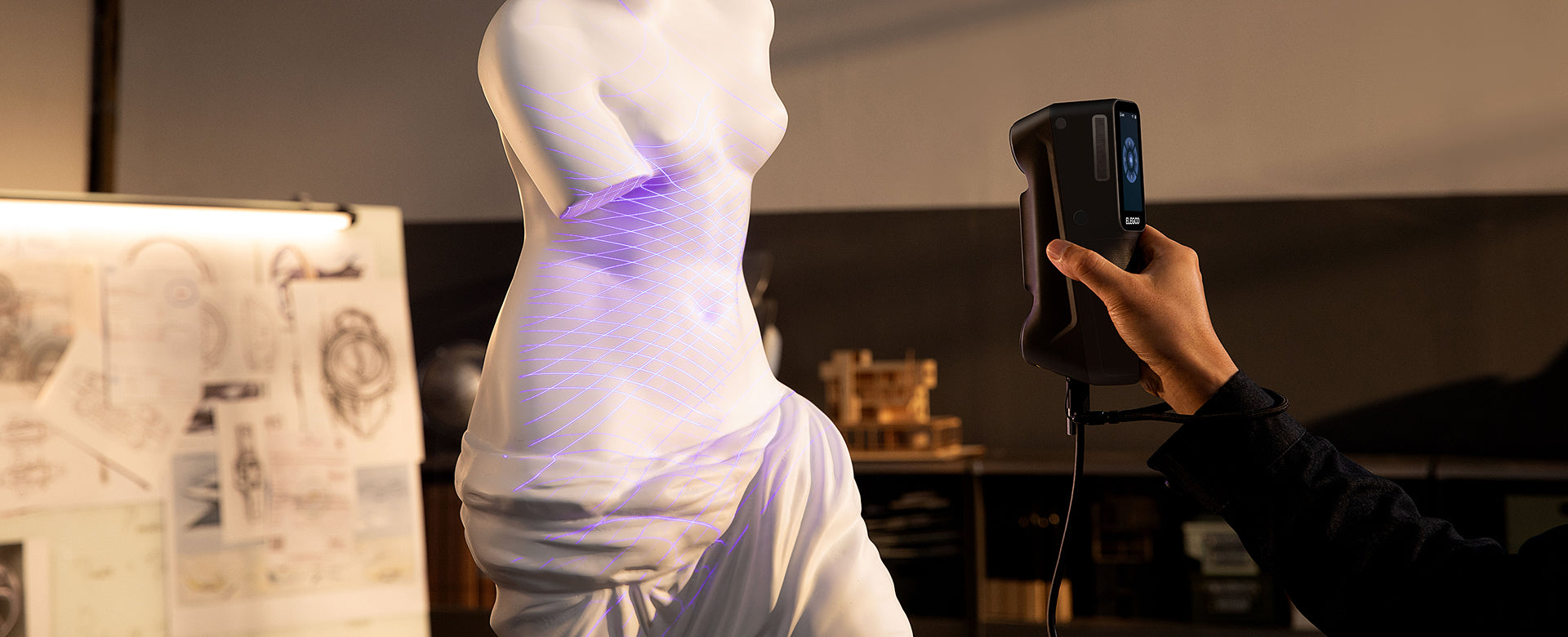
Judge the detail in the mesh, not the shared 0.02 mm number
MINI 2’s manufacturer-specified single-frame precision is up to 0.02 mm, while its single-frame accuracy is up to 0.05 mm. M1 Ultra’s manufacturer-specified blue-laser accuracy is up to 0.02 mm. Those matching digits label different measurements and should not be treated as a tie.
Accuracy describes closeness to a reference measurement; precision describes repeatability. Resolution or point spacing concerns the detail represented by the data. Volumetric accuracy concerns dimensional behavior across the extent of an object. None of those terms can be substituted for another to make a cleaner comparison.
For a small resin reproduction, ask for a downloadable mesh and view it without color. Inspect shallow folds, thin edges, and the transitions between raised details. Then view it at the size you intend to print, because scaling can change which imperfections matter.
A textured preview can hide missing geometry. Painted eyelashes or engraved lettering may be visible in the image mapped onto the surface even when the mesh cannot reproduce them. That makes plain shaded geometry a more useful starting point for a single-color print.
For a functional miniature component, add dimensional checks. A clean appearance does not establish that a locating pin or seating surface will fit. Verify critical features and allow for the printer, material, and finishing process.

Working distance, surfaces, and a comfortable capture setup
MINI 2’s working range suits an indoor tabletop arrangement. Its small body can be convenient for handheld passes around a compact object, but the complete setup still includes a compatible computer or mobile device and a suitable power arrangement.
M1 Ultra includes its battery and screen in the handheld unit. Its weight therefore represents a different equipment package from MINI 2’s scanner body. Compare balance, visibility, supports, and power as well as the bare numbers.
Working distance matters inside an assembly. A scanner may be able to measure a small object on an open table yet be awkward to position between nearby surfaces. Before buying for an installed part, consider whether the projected light and cameras can reach the feature while remaining in the appropriate range.
MINI 2 may require scanning spray for transparent, dark, or highly reflective objects. For a jewelry master or valuable collectible, confirm whether a suitable temporary treatment is acceptable. A glossy object can be small enough for the scanner yet still be an unsuitable untreated target.
M1 Ultra’s specified ability to capture many black and metallic surfaces without spray is relevant when preparation repeats throughout the day. It does not make glass or every polished finish straightforward. Tracking also remains separate: markers can help a smooth object provide recognizable references.
MINI 2 is specified for indoor scanning. Keep that environment requirement in the purchase decision instead of assuming a portable body makes it equally suitable for every location.

Software, speed, and preserving the details you captured
MINI 2 uses Revo Scan with supported desktop and mobile platforms. M1 Ultra requires a compatible Windows PC or Mac. Both can produce mesh files for downstream design and printing; their computer requirements and connection options are included in the main table.
Frame rate is only one part of the process. M1 Ultra’s blue-laser limits differ between wired and wireless configurations, while MINI 2 has its own structured-light maximum. A higher rate does not shorten time spent preparing a reflective surface, aligning a difficult underside, or repairing the model.
For small objects, processing choices can also remove useful information. Excessive smoothing may soften a crisp lip. Automatic hole filling may bridge a real opening. Preserve the original data, make edits on a copy, and inspect the specific features that justified the purchase.
A turntable can make repeated positioning more convenient when it suits the object and package. It does not guarantee that the underside or a hidden recess has been captured. You may still need to change the support, scan another orientation, and align the results carefully.
Exporting STL does not produce editable CAD features. If your next step involves changing a bore or adding a fastening point, use the scan as reference for the required modeling work. Our 3D scanning introduction explains those stages.
Which scanner fits your regular projects?
A dedicated small-object studio
MINI 2 is a focused choice for an indoor maker who consistently scans small ornaments, model masters, or accessible components. Assess the surface preparation and sample geometry before deciding that its specialization fits your materials.
A workshop moving between scales and materials
M1 Ultra is more appealing when the same scanner needs to handle a compact fitting, a larger housing, and an organic reference shape. Its value lies in having different capture approaches available as the next job changes.
Repeated engineering parts at a fixed station
If controlled desktop part capture is the broader requirement, compare the other candidates in our scanner buying guide. For another laser-based option, see M1 Ultra vs Raptor Pro.
Budget for the scanner and the small-object workflow
ELEGOO M1 Ultra · €1,599 / MINI 2 Standard · €929. Compare the full capture setup, including the host device, supports, and surface preparation your objects need.
Check exactly what the selected edition includes. A turntable, stable mounting arrangement, calibration equipment, and suitable surface preparation can matter more to repeated small-object work than an accessory chosen only because it is bundled.
Computer compatibility should be checked independently of scanner size. A compact device can still produce datasets that require substantial processing. Confirm the current software requirements for the desktop or mobile device you plan to use.
For fitted or redesigned parts, budget for CAD work after capture. For decorative reproduction, include mesh cleanup, supports, trial prints, and finishing. Choose a setup that completes your normal jobs without an unexpected second purchase.
Which scanner should you choose?
Choose MINI 2 for a consistent indoor small-object workflow with accessible geometry and manageable surfaces. Its close-range specialization is a clear reason to shortlist it.
Choose M1 Ultra for a more varied workshop that benefits from several laser patterns, NIR, and integrated wireless handling. That flexibility is most valuable when small details are only one part of the work.
Review the M1 Ultra package against the objects already on your bench, or explore the ELEGOO 3D scanner range. Choose the setup that preserves the features you will still care about when the print is in your hand.
Frequently asked questions
Does MINI 2 use blue lasers?
It uses dual-camera blue structured light. M1 Ultra uses dedicated blue-laser patterns as well as NIR structured light. The shared color does not make the technologies identical.
Do both have accuracy up to 0.02 mm?
No. MINI 2’s manufacturer-specified 0.02 mm figure is single-frame precision; its single-frame accuracy is up to 0.05 mm. M1 Ultra specifies blue-laser accuracy up to 0.02 mm.
Which should I consider for resin miniatures?
MINI 2 is a focused candidate for small indoor objects; M1 Ultra is relevant when the same workshop handles broader jobs. Inspect untextured sample meshes at your intended print size before choosing.
Can MINI 2 scan outdoors?
Its specification lists indoor use. Plan a controlled indoor setup and evaluate the actual surface rather than assuming portability changes the environment requirement.
Does a minimum scan volume guarantee fine details?
No. It describes an object-size envelope. Thin projections, deep recesses, surface finish, tracking, and processing still determine what appears in the finished mesh.


