


 Centauri Carbon 2 Combo
 Centauri Carbon 2
 Centauri 2 Combo
 Centauri 2
 ELEGOO × emoji® Centauri Carbon 2 Combo
 Centauri Carbon 2 Combo: Desktop Creator Bundle
 OrangeStorm Giga
 OrangeStorm Giga Frequently Bought Together Bundle
 OrangeStorm Giga All-in-One Bundle
 OrangeStorm Giga + 2 × 5 kg Rapid PLA Plus
 Neptune 4 Max
 Neptune 4 Plus
 Neptune 4 Pro
 Neptune 4
 Mars 5 Ultra
 Mars 5
 Mars 4 Ultra
 Mars 4
 Saturn 4 Ultra 16K
 Saturn 4 Ultra
 Saturn 4
 Saturn 3 Ultra
 Jupiter 2
 Jupiter 2 with Mercury Plus V3.0 Bundle
 Jupiter 2 with Mercury XS Bundle
 Jupiter 2 Pro Bundle – Mercury Plus V3.0 & Resin
 Mercury Plus V3.0
 Mercury XS Bundle
 Mercury X Bundle
 Mercury Plus V2.0

 M1 Ultra
 Centauri Carbon 2 Combo + M1 Ultra
 Saturn 4 Ultra 16K + M1 Ultra
 Centauri Carbon 2 Combo + M1 Ultra + 4 kg Filament
 Saturn 4 Ultra 16K + M1 Ultra + 2 kg Resin
 PLA (RFID) emoji® Brand Edition Filament 10 kg
 PLA (RFID) Filament 10 kg
 PLA (RFID) Filament Grey 10 kg
 PLA Basic Filament 10 kg
 PLA Marble Filament 10 kg
 PLA Wood Filament 10 kg
 PETG Glitter
 PPS-CF
 PLA CMYK
 PLA Translucent
 PETG HF
 PLA (RFID) emoji® Brand Edition
 PLA
 PLA Basic Refill
 PLA Plus
 PLA Pro
 Rapid PLA Plus
 3 kg Filament Spool
 Rapid PLA Plus 5 kg Spool
 Mini 250 g Filament Bundle
 PLA Filament 5 kg
 PLA Plus Filament 5 kg
 RAPID PLA Plus Filament 5 kg
 PLA Matte
 PLA Silk
 PLA Galaxy
 PLA Sparkle
 PLA Metallic
 PLA Marble
 PLA Wood
 PLA Glow
 PLA CMYK Filament 10 kg
 PLA Matte Filament 10 kg
 PLA-CF
 PLA-CF Filament 10 kg
 Rapid PETG
 PETG Translucent
 PETG Pro
 PETG-GF
 PETG-CF
 Rapid PETG Filament 10 kg
 PETG HF Filament 10 kg
 PETG Glitter Filament 10 kg
 TPU 95A
 Rapid TPU 95A
 TPU 72D
 PC
 PC-FR
 TPU 95A Filament 10 kg
 Rapid TPU 95A Filament 10 kg
 TPU 72D Filament 10 kg
 PC Filament 10 kg
 PC-FR Filament 10 kg
 ASA
 ASA-CF
 ABS
 ASA Filament 10 kg
 ABS Filament 10 kg
 ASA-CF Filament 10 kg
 PET-CF
 PAHT-CF
 PETG-CF Filament 10 kg
 PETG-GF Filament 10 kg
 PET-CF Filament 10 kg
 H1 HT
 Filament Vacuum Storage Bags Kit (20 Pcs)
 Fast UV Cure Putty
 3D Paint Kit
 PEI Liquid Glue Pack (2 Pcs)
 3D Printer Tool Kit
 Electric Screwdriver Set
 Reusable Spool

 Rapid Standard Resin 12 kg
 8K Standard Resin 12 kg
 Standard Resin V2.0 12 kg
 Standard Resin 12 kg
 ABS-Like Ultra Resin 12 kg
 8K ABS-Like Resin V3.0 12 kg
 8K Water-Washable ABS-Like Resin
 8K Water-Washable Resin V2.0
 Tough Resin
 Water-Washable ABS-Like Resin
 ABS-Like Ultra Resin
 8K Standard Resin
 Rapid Standard Resin
 Standard Resin V2.0
 Standard Resin
 Water-Washable Resin V2.0
 8K Water-Washable Resin
 Water-Washable Resin
 8K Water-Washable ABS-Like Resin 12 kg
 Water-Washable ABS-Like Resin 12 kg
 8K Water-Washable Resin V2.0 12 kg
 Water-Washable Resin V2.0 12 kg
 8K Water-Washable Resin 12 kg
 Water-Washable Resin 12 kg
 8K ABS-Like Resin V3.0
 ABS-Like Resin V3.0 Pro
 ABS-Like Resin V3.0+
 ABS-Like Resin V3.0
 ABS-Like Resin V2.0
 ABS-Like Resin
 Plant-Based Resin
 Standard Plant-Based Resin
 Plant-Based Resin 12 kg
 Tough Resin 12 kg

 CANVAS for Centauri Carbon 2/Centauri 2 Series
 CANVAS for Centauri Carbon
 Marsmate Air Purifier
 Mini Air Purifier 2 Pcs
 USB Air Purifier 2 Pcs
 Activated Carbon Filter for Marsmate
 Mini Heater
 3D Stainless Steel Funnel
 Silicone Mat (2 Pcs)
 For Centauri Series
 For OrangeStorm Giga
 For Neptune 4 Series
 For Neptune 3 Series
 For Mars Series
 For Saturn Series
 For Jupiter Series
 LCD Screen
 Build Plate
 ACF/FEP/PFA
 Resin Tank
 Washing Bucket for Mercury X/XS Bundle
 Washing Bucket for Mercury Plus V2.0
 Honeycomb Panel for Phecda
 Risers for Phecda (8 Pcs)
 Reflective Markers for M1 Ultra
 Reflective Markers for M1 Ultra (Φ3mm×800pcs)


Table of contents
- Quick decision: which additions will you use?
- M1 Ultra vs Raptor Pro: key specifications
- Choose the laser pattern around the geometry
- Wireless handling, weight, and controls
- Accuracy, surfaces, and reliable tracking
- Capture speed and finishing the file
- Which workshop favors each scanner?
- Compare complete packages before deciding on value
- Which one should you buy?
- Frequently asked questions
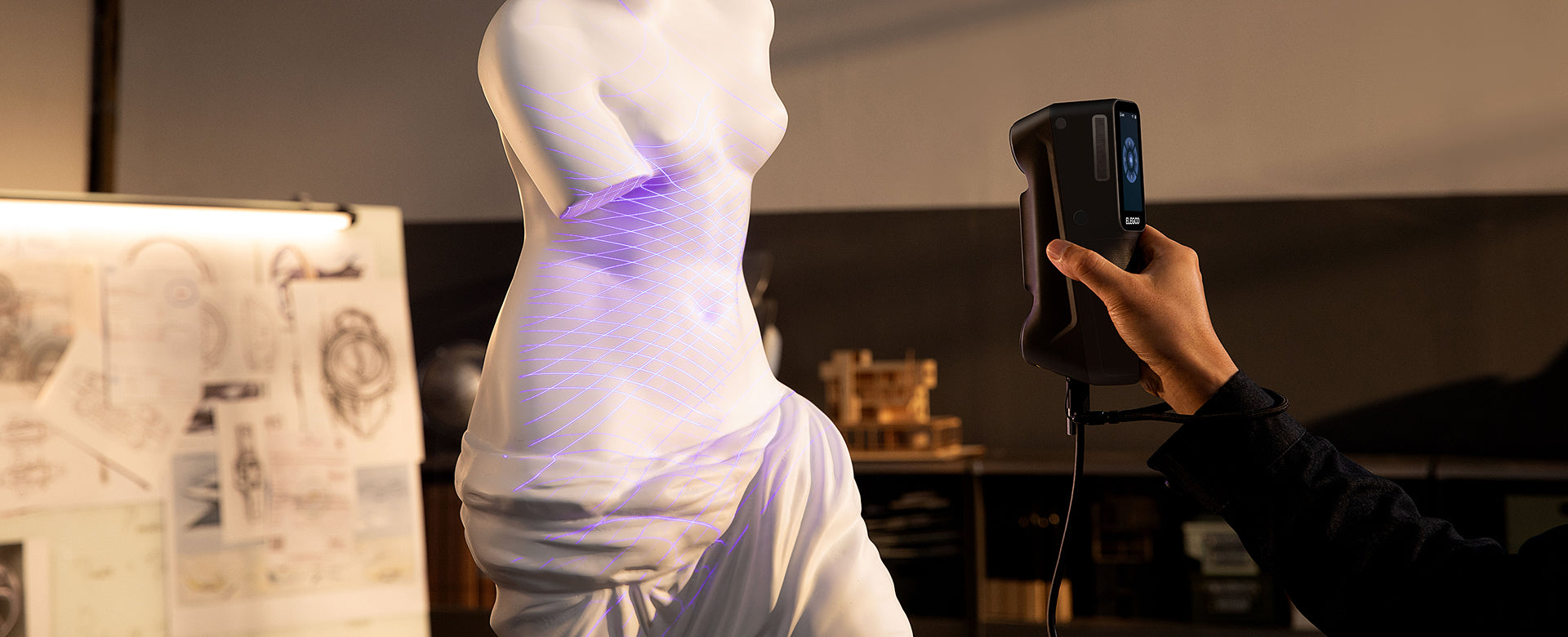
Set an open aluminum bracket beside a cast cover with a pocket between raised ribs. Raptor Pro offers crossed and parallel blue lasers for exposed faces and detail. M1 Ultra adds a single-line pattern for the recess—and puts the battery, wireless hardware, and preview screen in the scanner body.
Quick decision: which additions will you use?
Choose M1 Ultra when accessible recesses and wireless movement are recurring parts of the job. Keep Raptor Pro on the shortlist when its crossed and parallel modes cover your parts and a wired bench setup suits your work. Compare the extra capture mode and complete wireless setup.
Use the M1 Ultra guide to plan its modes, computer connection, and steps from capture to a usable model.
M1 Ultra vs Raptor Pro: key specifications
| Feature | ELEGOO M1 Ultra | Creality Raptor Pro |
|---|---|---|
| Blue laser patterns | 34 crossed + 7 parallel + single line | 22 crossed + 7 parallel; no dedicated single-line mode listed |
| Additional capture mode | NIR structured light | NIR structured light |
| Manufacturer-specified blue-laser accuracy | Up to 0.02 mm | Up to 0.02 mm |
| Manufacturer-specified NIR accuracy | Up to 0.05 mm | Up to 0.075 mm |
| Published blue-laser volumetric accuracy (L in meters) | 0.02 mm + 0.06 mm/m × L | 0.02 mm + 0.08 mm/m × L |
| Blue-laser resolution | 0.05-2 mm | 0.05-2 mm |
| Blue-laser frame rate | Up to 100 fps wired/60 fps wireless at 1,520 × 1,200; 80/50 fps respectively at 1,920 × 1,200 | Up to 60 fps |
| NIR frame rate | Up to 30 fps | Up to 30 fps |
| On-scanner screen | 3-inch touchscreen | No built-in preview screen |
| Wireless equipment | Built-in Wi-Fi 6 and battery | Compatible Scan Bridge accessory |
| Weight | 511 g including battery | 403 g scanner body; bridge not included |
| Windows recommendation | Recommended: Core i7 13th generation or newer, RTX 4060 or better with 8 GB VRAM, 32 GB RAM | Core i7 10th generation; NVIDIA GPU with 8 GB VRAM; 32 GB RAM |
| Mac configuration | Minimum M2/16 GB; recommended M4/32 GB; macOS 14 or later | Recommended M1/M2/M3 and 16 GB RAM; confirm current software compatibility |
| Marker-free laser workflow | Available for suitable surfaces | CrealityScan 4.3.2: marker-free Raptor-series scanning over USB |
| Mesh exports | STL, OBJ, PLY; ASC point-cloud export | STL, OBJ, PLY; 3MF mesh export added in CrealityScan 4.3.2 |
| Listed price | €1,599 | scanner only · €1,599 / with Scan Bridge and manual turntable · €1,899 |
Choose the laser pattern around the geometry
For many open surfaces, these scanners give you the same basic choice: crossed lines for covering the object, parallel lines for detailed areas, and infrared for a different kind of subject. M1 Ultra adds a dedicated single blue laser line.
That extra mode matters when your object includes accessible recesses. Imagine a cast part with a pocket between two raised ribs. A broad capture can establish the surrounding shape, while a more targeted pass addresses the recessed surface. M1 Ultra gives you another optical pattern to try in that situation.
Raptor Pro’s seven parallel lines remain useful for detailed scanning. If your parts mainly have exposed faces, rounded edges, and features that are easy to view, the absence of a dedicated single-line mode may have little effect on your work.
Conversely, if recessed geometry appears in almost every job, put it at the center of your evaluation. Ask for a sample with a similar opening and depth. Even a single-line mode needs the projected light and camera view to reach the surface; a hidden internal passage still needs another approach.
More crossed lines do not establish a shorter project; coverage, tracking, and follow-up passes still matter.
Wireless handling, weight, and controls
M1 Ultra includes a battery, Wi-Fi 6, and a touchscreen in the scanner body. You still need a compatible computer, but wireless capture does not require adding a separate bridge to the scanner.
Raptor Pro uses a computer connection and external power in its wired setup. A compatible Scan Bridge accessory, available in selected bundles, supports wireless operation.
At a bench, a cable may be a minor consideration. You can position the computer and power supply once and leave the station ready. In that setting, buying the scanner alone can be perfectly reasonable.
Walking around a motorcycle panel or reaching behind a fixed object changes the calculation. M1 Ultra packages the wireless components and viewing screen together. With Raptor Pro, compare the complete bridge arrangement, including how you will view capture feedback and carry or mount the host device.
Supported phone-based wireless configurations have their own hardware and software requirements. Confirm the scanner, bridge, phone, and software combination for that route; the presence of a wireless accessory alone does not establish every mobile workflow.
Raptor Pro’s 403 g scanner-body weight is lower than M1 Ultra’s 511 g with battery. That makes the Creality body worth considering if your plan is to scan with a tether and you value keeping the handheld unit light.
For a wireless comparison, include the bridge and any attached accessories. The scanner-only weight no longer describes the object you will be holding. M1 Ultra’s stated weight already includes its battery.
Raptor Pro uses physical controls and distance feedback. M1 Ultra adds a touchscreen near your grip, changing how you monitor capture while moving.
If you often scan below a table, above shoulder height, or around an assembled object, try the intended grip and viewing arrangement before purchasing. Balance and screen visibility can matter more than a small difference between bare-device weights.

Accuracy, surfaces, and reliable tracking
Both scanners have manufacturer-specified blue laser accuracy up to 0.02 mm and a blue laser resolution range of 0.05-2 mm. Those figures make both relevant to detailed object capture. They do not turn every exported mesh into a dimensionally certified part.
Accuracy describes closeness to a reference measurement; precision describes repeatability. Resolution concerns detail or point spacing, while volumetric accuracy considers dimensional behavior over an object’s extent. For larger work, the volumetric specification is more informative than the headline number alone. ELEGOO lists 0.02 mm + 0.06 mm per meter for M1 Ultra’s blue laser mode. Creality lists 0.02 mm + 0.08 mm per meter for Raptor Pro. M1 Ultra has the lower published length-dependent term; a practical dimensional check still needs comparable objects, preparation, and measurement conditions.
For a fitted design, turn that specification comparison into a practical check. Scan the relevant object, identify the surfaces that locate the new part, and compare those dimensions with an appropriate reference measurement. Inspect the full span you need, especially when a model combines several captures.
A replacement trim piece, for example, may look correct while its mounting points are slightly misaligned. Its visible surface and its attachment geometry need different kinds of attention. Preserve the scan for the shape, then use measured dimensions to define the features that control fit.
Markers remain useful on smooth or repetitive shapes because they supply distinct reference points. M1 Ultra lists marker, global-marker, and marker-free options for blue laser scanning, plus geometry and texture tracking in NIR.
Laser tracking options also depend on the installed software and connection. CrealityScan 4.3.2 adds marker-free scanning for the Raptor series over USB. The connection condition is important: that update is not evidence of the same capability over a wireless bridge.
For a part with little shape or texture, keep markers in the plan even when marker-free capture is available. For an object that cannot accept markers, ask for a demonstration using the precise mode and connection you intend to use. The relevant result is stable capture of your surface, with no unwanted geometry added during processing.

Capture speed and finishing the file
M1 Ultra’s maximum blue laser frame rate is 100 fps with a wired computer connection at 1,520 × 1,200. At 1,920 × 1,200 it is 80 fps. The wireless limits are 60 and 50 fps at those respective resolutions. Raptor Pro specifies blue laser capture up to 60 fps.
For wireless M1 Ultra buyers, that means planning around its wireless figures. For either scanner, slowing down to expose a difficult edge can be more productive than moving quickly and leaving a gap that needs another pass.
The computer also affects the experience. ELEGOO’s recommended Windows setup includes a 13th-generation Core i7 or newer, an RTX 4060 or better with 8 GB VRAM, and 32 GB RAM. The recommended Raptor Pro Windows configuration includes a 10th-generation Core i7, an NVIDIA GPU with 8 GB VRAM, and 32 GB RAM.
Mac owners should check the distinction before ordering. M1 Ultra lists an M2 with 16 GB RAM as its minimum and an M4 with 32 GB as its recommended configuration. Raptor Pro recommends an M1, M2, or M3 Mac with 16 GB RAM. Verify current software compatibility for your exact Mac, especially if you intend to keep an older machine.
Both workflows provide scan processing and common mesh exports, including STL, OBJ, and PLY. CrealityScan 4.3.2 also adds 3MF mesh export. M1 Ultra’s documented tools include alignment, denoising, fusion, mesh repair, hole filling, and smoothing.
For a shaped enclosure, you might scan the existing shell, remove the surrounding table, align the underside, and inspect the resulting mesh. If the goal is a modified replacement, take that geometry into modeling software to add a port opening or change the wall thickness.
Keep the original scan and work on a copy. Aggressive smoothing can soften a useful edge, while automatic hole filling may close an opening that belongs in the design. Finish by checking the mesh in your slicer and printing a fit-check section before the full object.
Software familiarity is also a reasonable buying factor. If your team already has a reliable CrealityScan workflow, switching needs to solve a specific limitation. If integrated wireless handling or the single-line mode addresses that limitation, M1 Ultra gives you a concrete reason to consider the change.
If you are new to scan processing, our 3D scanning introduction explains where captured surfaces become meshes and where CAD reconstruction begins.
Which workshop favors each scanner?
A fixed bench for open mechanical parts
Raptor Pro is a reasonable fit when the cable, power, and monitor can stay in place and the parts expose the surfaces you need. An established CrealityScan workflow is another reason to keep it on the shortlist.
Moving around assemblies with recessed features
M1 Ultra is more appealing when the same operator needs to walk around the object, monitor capture near the grip, and try a narrower laser pattern inside an accessible pocket. Those are concrete reasons to choose its integrated hardware.
Compare complete packages before deciding on value
ELEGOO M1 Ultra · €1,599 / Raptor Pro (scanner only) · €1,599 / Raptor Pro with Scan Bridge and manual turntable · €1,899. Compare the package that supports the way you intend to scan.
Use the scanner-only offer when comparing a wired bench setup. Use the bridge bundle when evaluating wireless work. Then compare the current M1 Ultra package with the same needs in mind: computer compatibility, included batteries, calibration equipment, and any required software.
Include computer upgrades, markers, supports, and design software in both totals.
Which one should you buy?
M1 Ultra is our pick when the single-line mode, built-in screen, and integrated wireless setup solve recurring capture problems. Choose Raptor Pro when its laser patterns already fit your parts and its wired or bridge-equipped package works with your budget and software.
If capturing and processing without a computer is essential, compare M1 Ultra with Sermoon P1. For other project types, see the 3D scanner buying guide.
Review the M1 Ultra package, or browse ELEGOO 3D scanners for the setup that fits your bench.
Buy for the surface that is hardest to capture on your typical part. That is where another mode or a more convenient setup earns its place on the bench.
Frequently asked questions
Is Raptor Pro wireless out of the box?
The scanner supports wireless operation with a compatible accessory. Check whether the listing includes Scan Bridge; a scanner-only package and a wireless bundle are different purchases.
Is M1 Ultra’s 100 fps available wirelessly?
No. The 100 fps maximum applies to wired blue laser scanning at 1,520 × 1,200. The corresponding wireless maximum is 60 fps.
Does Raptor Pro always need markers for laser scanning?
No. CrealityScan 4.3.2 adds marker-free scanning for the Raptor series over USB. Use a compatible software and firmware setup, and retain markers where the surface or tracking conditions call for them.
Will the two scanners produce identical accuracy?
The shared manufacturer-specified blue-laser accuracy of up to 0.02 mm does not establish identical finished-model performance. Compare like measurement conditions and verify the dimensions that control your part’s fit.
Can either scanner create an editable CAD part automatically?
A mesh export supplies surface geometry. Changing a hole size, rebuilding a damaged tab, or controlling wall thickness can require separate CAD reconstruction and dimensional checks.


