


 Centauri Carbon 2 Combo
 Centauri Carbon 2
 Centauri 2 Combo
 Centauri 2
 ELEGOO × emoji® Centauri Carbon 2 Combo
 Centauri Carbon 2 Combo: Desktop Creator Bundle
 OrangeStorm Giga
 OrangeStorm Giga Frequently Bought Together Bundle
 OrangeStorm Giga All-in-One Bundle
 OrangeStorm Giga + 2 × 5 kg Rapid PLA Plus
 Neptune 4 Max
 Neptune 4 Plus
 Neptune 4 Pro
 Neptune 4
 Mars 5 Ultra
 Mars 5
 Mars 4 Ultra
 Mars 4
 Saturn 4 Ultra 16K
 Saturn 4 Ultra
 Saturn 4
 Saturn 3 Ultra
 Jupiter 2
 Jupiter 2 with Mercury Plus V3.0 Bundle
 Jupiter 2 with Mercury XS Bundle
 Jupiter 2 Pro Bundle – Mercury Plus V3.0 & Resin
 Mercury Plus V3.0
 Mercury XS Bundle
 Mercury X Bundle
 Mercury Plus V2.0

 M1 Ultra
 Centauri Carbon 2 Combo + M1 Ultra
 Saturn 4 Ultra 16K + M1 Ultra
 Centauri Carbon 2 Combo + M1 Ultra + 4 kg Filament
 Saturn 4 Ultra 16K + M1 Ultra + 2 kg Resin
 PLA (RFID) emoji® Brand Edition Filament 10 kg
 PLA (RFID) Filament 10 kg
 PLA (RFID) Filament Grey 10 kg
 PLA Basic Filament 10 kg
 PLA Marble Filament 10 kg
 PLA Wood Filament 10 kg
 PETG Glitter
 PPS-CF
 PLA CMYK
 PLA Translucent
 PETG HF
 PLA (RFID) emoji® Brand Edition
 PLA
 PLA Basic Refill
 PLA Plus
 PLA Pro
 Rapid PLA Plus
 3 kg Filament Spool
 Rapid PLA Plus 5 kg Spool
 Mini 250 g Filament Bundle
 PLA Filament 5 kg
 PLA Plus Filament 5 kg
 RAPID PLA Plus Filament 5 kg
 PLA Matte
 PLA Silk
 PLA Galaxy
 PLA Sparkle
 PLA Metallic
 PLA Marble
 PLA Wood
 PLA Glow
 PLA CMYK Filament 10 kg
 PLA Matte Filament 10 kg
 PLA-CF
 PLA-CF Filament 10 kg
 Rapid PETG
 PETG Translucent
 PETG Pro
 PETG-GF
 PETG-CF
 Rapid PETG Filament 10 kg
 PETG HF Filament 10 kg
 PETG Glitter Filament 10 kg
 TPU 95A
 Rapid TPU 95A
 TPU 72D
 PC
 PC-FR
 TPU 95A Filament 10 kg
 Rapid TPU 95A Filament 10 kg
 TPU 72D Filament 10 kg
 PC Filament 10 kg
 PC-FR Filament 10 kg
 ASA
 ASA-CF
 ABS
 ASA Filament 10 kg
 ABS Filament 10 kg
 ASA-CF Filament 10 kg
 PET-CF
 PAHT-CF
 PETG-CF Filament 10 kg
 PETG-GF Filament 10 kg
 PET-CF Filament 10 kg
 H1 HT
 Filament Vacuum Storage Bags Kit (20 Pcs)
 Fast UV Cure Putty
 3D Paint Kit
 PEI Liquid Glue Pack (2 Pcs)
 3D Printer Tool Kit
 Electric Screwdriver Set
 Reusable Spool

 Rapid Standard Resin 12 kg
 8K Standard Resin 12 kg
 Standard Resin V2.0 12 kg
 Standard Resin 12 kg
 ABS-Like Ultra Resin 12 kg
 8K ABS-Like Resin V3.0 12 kg
 8K Water-Washable ABS-Like Resin
 8K Water-Washable Resin V2.0
 Tough Resin
 Water-Washable ABS-Like Resin
 ABS-Like Ultra Resin
 8K Standard Resin
 Rapid Standard Resin
 Standard Resin V2.0
 Standard Resin
 Water-Washable Resin V2.0
 8K Water-Washable Resin
 Water-Washable Resin
 8K Water-Washable ABS-Like Resin 12 kg
 Water-Washable ABS-Like Resin 12 kg
 8K Water-Washable Resin V2.0 12 kg
 Water-Washable Resin V2.0 12 kg
 8K Water-Washable Resin 12 kg
 Water-Washable Resin 12 kg
 8K ABS-Like Resin V3.0
 ABS-Like Resin V3.0 Pro
 ABS-Like Resin V3.0+
 ABS-Like Resin V3.0
 ABS-Like Resin V2.0
 ABS-Like Resin
 Plant-Based Resin
 Standard Plant-Based Resin
 Plant-Based Resin 12 kg
 Tough Resin 12 kg

 CANVAS for Centauri Carbon 2/Centauri 2 Series
 CANVAS for Centauri Carbon
 Marsmate Air Purifier
 Mini Air Purifier 2 Pcs
 USB Air Purifier 2 Pcs
 Activated Carbon Filter for Marsmate
 Mini Heater
 3D Stainless Steel Funnel
 Silicone Mat (2 Pcs)
 For Centauri Series
 For OrangeStorm Giga
 For Neptune 4 Series
 For Neptune 3 Series
 For Mars Series
 For Saturn Series
 For Jupiter Series
 LCD Screen
 Build Plate
 ACF/FEP/PFA
 Resin Tank
 Washing Bucket for Mercury X/XS Bundle
 Washing Bucket for Mercury Plus V2.0
 Honeycomb Panel for Phecda
 Risers for Phecda (8 Pcs)
 Reflective Markers for M1 Ultra
 Reflective Markers for M1 Ultra (Φ3mm×800pcs)


Table of contents
- Quick decision: portable infrared capture or a broader laser toolkit?
- M1 Ultra vs POP 3: key specifications
- Match the capture method to the difficult part of the object
- Read the small-object and accuracy figures separately
- Portability includes the host device and surface preparation
- Speed, software, and the model you can use
- Which projects favor each scanner?
- Compare the complete purchase, especially for an older model
- Which scanner should you choose?
- Frequently asked questions
A sculptor wants a digital copy of a clay maquette; a repair workshop needs the seating surfaces inside a broken handle. Both jobs begin with a physical object, but they place very different demands on the scanner and the equipment beside it.
Quick decision: portable infrared capture or a broader laser toolkit?
Choose M1 Ultra for varied mechanical work that benefits from dedicated blue-laser patterns and a compatible computer. Choose POP 3 for general medium-object capture when a compact scanner and supported phone or tablet workflow matter more.
The M1 Ultra guide walks through mode selection, computer setup, and processing for a complete scanning session.
This comparison covers the original Revopoint POP 3. POP 3 Plus and later POP models have different specifications. POP 3 uses infrared structured light; M1 Ultra combines blue lasers with NIR structured light. Neither becomes a standalone processing device simply because it connects wirelessly.
M1 Ultra vs POP 3: key specifications
| Feature | ELEGOO M1 Ultra | Revopoint POP 3 |
|---|---|---|
| Capture technology | 34 crossed, 7 parallel, and single-line blue laser; NIR structured light | Dual-camera infrared structured light; original POP 3 |
| Manufacturer-specified accuracy | Blue laser up to 0.02 mm; NIR up to 0.05 mm | Single-frame accuracy up to 0.1 mm |
| Manufacturer-specified precision | Not separately stated | Single-frame precision up to 0.05 mm |
| Detail metric | Blue-laser resolution: 0.05-2 mm | Published fused point distance: 0.05 mm; separate from accuracy |
| Published object-size envelope | Blue-laser minimum: 5 × 5 × 5 mm; NIR minimum: 150 × 150 × 150 mm | Minimum scan volume: 20 × 20 × 20 mm |
| Working distance | Crossed/single-line laser: 200-600 mm; parallel laser: 160-400 mm; NIR: 170-1,200 mm | 150-400 mm |
| Frame rate | Blue laser: up to 100 fps wired/60 fps wireless at 1,520 × 1,200; NIR: up to 30 fps | Infrared capture: up to 18 fps |
| Host devices | Windows PC or Mac required | Compatible Windows, macOS, Android, and iOS devices |
| Connection | Wired or Wi-Fi 6; integrated battery | USB Type-C or Wi-Fi 6; iOS connects via Wi-Fi; external power arrangement required |
| Screen and weight | 3-inch touchscreen; 511 g including battery | Host-device screen; 190 g scanner body |
| Tracking | Marker and suitable marker-free modes; NIR geometry/texture tracking | Feature and marker tracking |
| Common exports | STL, OBJ, PLY; ASC also supported | STL, OBJ, PLY; further formats depend on software/model type |
| M1 Windows recommendation | Recommended: Core i7 13th generation or newer, RTX 4060 or better with 8 GB VRAM, 32 GB RAM | Verify host configuration for the selected Revo Scan workflow |
| M1 Mac configuration | Minimum M2/16 GB; recommended M4/32 GB; macOS 14 or later | Compatible Mac required for the desktop route |
| Listed price | €1,599 | Current price for the original model unverified |
Match the capture method to the difficult part of the object
POP 3 is a reasonable starting point when the object has a recognizable overall form, accessible surfaces, and enough features to support tracking. A model maker capturing a carved wooden animal can work around its silhouette, turn it for the underside, and check the joins before printing a reproduction.
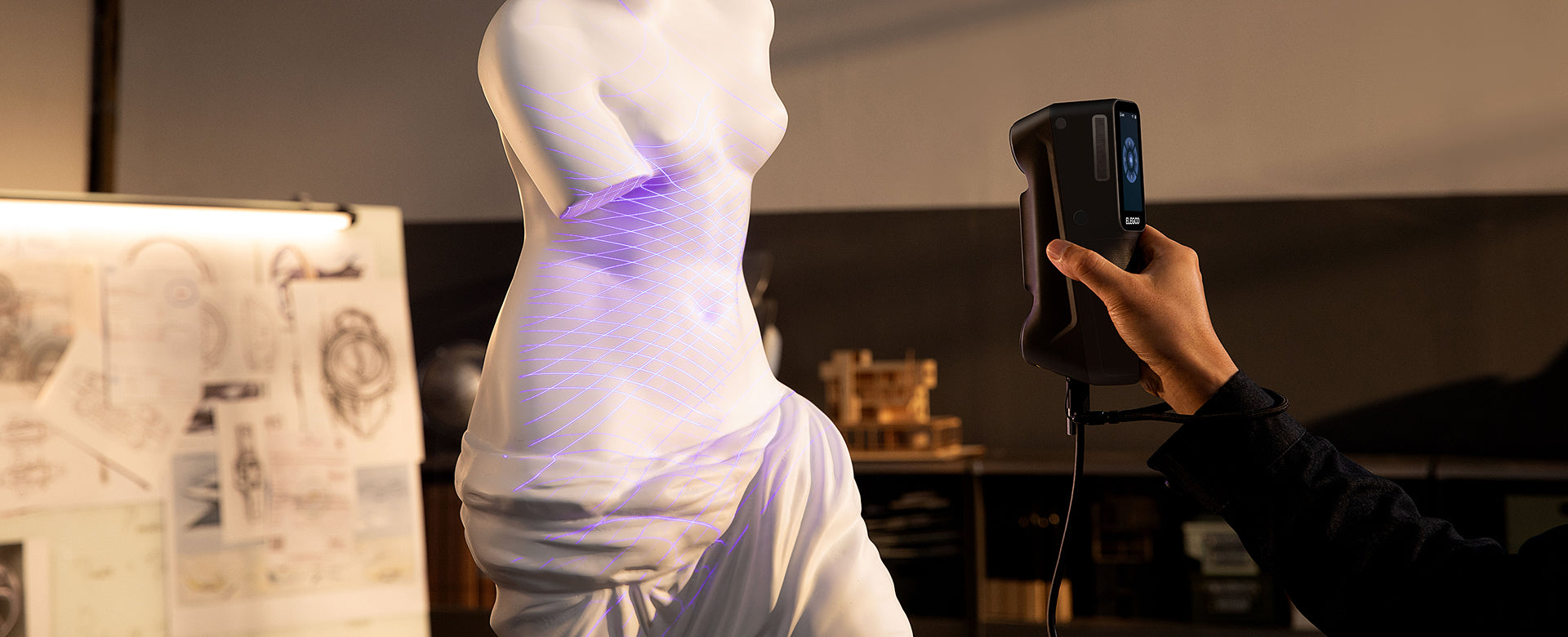
M1 Ultra offers more ways to approach geometry that changes within a single object. Crossed laser lines cover broader surfaces, parallel lines provide a pattern for detailed areas, and the single-line mode gives you another option for an accessible slot or recess. Its infrared mode remains available for larger subjects.
For a cast fitting with a shallow pocket and raised ribs, the useful question is whether you can capture the surfaces that define the fit. A dedicated pattern may help you approach that area, but it still needs an optical path. A bent internal passage cannot be recovered merely by selecting a deep-hole mode.
Ask for a sample of comparable geometry. Inspect the opening, the wall at depth, and the transition into the surrounding surface. An exterior render with a closed hole can conceal exactly the missing data that matters to the design.
Read the small-object and accuracy figures separately
POP 3’s manufacturer-specified single-frame accuracy is up to 0.1 mm, and its single-frame precision is up to 0.05 mm. Those describe different measurements. Accuracy concerns closeness to a reference; precision concerns the consistency of repeated measurements.
M1 Ultra’s manufacturer-specified blue-laser accuracy is up to 0.02 mm. Its blue-laser resolution range describes a different aspect of the data. Comparing a precision number, point spacing, and an accuracy number as though they were interchangeable would obscure the buying decision.
The minimum scan volumes also belong to specific capture systems. They describe an object-size envelope, not the smallest engraving or edge guaranteed to appear in a finished mesh. A tiny flat object with little recognizable shape can be harder to track than a larger irregular one.
For an adapter that must fit an existing tube, inspect the relevant diameter and seating surface against independent measurements. If several captures are merged across a larger assembly, consider error over the whole span. Volumetric accuracy addresses that broader dimensional behavior; a single-frame figure alone does not describe it.
A decorative print has a different acceptance test. Turn off the texture and judge the silhouette, shallow relief, and edges at the intended print size. More mesh points do not help if the feature was never captured.

Portability includes the host device and surface preparation
POP 3’s compact body can work with supported Windows, macOS, Android, and iOS devices. On iOS, the connection is Wi-Fi. A phone-based setup can be useful for a designer collecting references away from a permanent workstation, provided the device, power arrangement, and software are compatible.
The phone still performs a role in capture and processing. POP 3 does not contain the kind of independent workstation found in MIRACO Plus. M1 Ultra similarly needs a compatible Windows PC or Mac, although its battery, Wi-Fi, and touchscreen are integrated into the handheld unit.
Compare what you will actually carry: scanner, host, power, mounts, and any accessories used to see the preview. A smaller scanner body can be convenient, but the full arrangement determines how easily you can reach around the subject and check the result.
Surface preparation belongs in that plan. POP 3 may need scanning spray on transparent, dark, or highly reflective objects. M1 Ultra’s specified spray-free capability on black and metallic surfaces makes it relevant to repeated mechanical work, but polished finishes and transparent materials remain distinct problems.
Markers serve another purpose: they give tracking a recognizable reference. A surface that is visible without spray may still need help with alignment. For an object that cannot accept a coating or adhesive, establish a workable method before taking the job.

Speed, software, and the model you can use
M1 Ultra’s blue-laser frame-rate limits depend on both the connection and capture resolution. POP 3’s infrared capture has a different published maximum, as shown in the table. These are acquisition figures; they do not measure preparation, missed surfaces, alignment, cleanup, or print setup.
For a broad textured form, a steady path with reliable overlap can be more useful than trying to move as quickly as possible. On a mechanically complex object, extra passes around the difficult surfaces can dominate the session. Check the full model before deciding that capture is finished.
Both scanners provide a route into common mesh formats such as STL, OBJ, and PLY. M1 Ultra’s processing tools include alignment, denoising, and mesh repair; POP 3 uses Revo Scan for acquisition and post-processing on compatible devices.
Those tools prepare surface data. If you want to alter a screw seat, create a mating feature, or restore a missing corner, expect further modeling work. A scan of a damaged original records the damage as readily as the intended shape.
Keep a copy of the unmodified scan before smoothing or filling holes. A closed mesh is useful for printing only when the repair preserves the part’s real openings and geometry. Check the finished model in your slicer and test a fitted region before printing the entire design.
For the underlying workflow, see what a 3D scanner is and how it works.
Which projects favor each scanner?
General forms and mobile reference capture
POP 3 is worth considering for a designer who regularly captures medium-size creative objects and values a supported mobile-device setup. An existing owner with reliable sample results should judge an upgrade against an actual limitation, such as missing recessed geometry or repeated surface preparation.
Mechanical parts with changing capture requirements
M1 Ultra is the stronger fit when one job moves between exposed faces, fine features, and accessible cavities. Its laser patterns and integrated wireless hardware make sense when those capabilities will be used repeatedly alongside a workstation.
Scanning with no separate host
If the requirement is to capture and process entirely on the scanner, compare M1 Ultra with MIRACO Plus instead. A wireless connection to a phone or computer solves a different problem.
Compare the complete purchase, especially for an older model
ELEGOO M1 Ultra · €1,599 / POP 3 · Current price for the original model unverified. Confirm the exact model, package and availability with the seller.
For an older or used POP 3 package, check the model identity, calibration equipment, cables, power accessories, and the software needed by your intended host. Confirm what the seller includes and which return or support terms apply. A bare scanner and a ready-to-use mobile kit are different purchases.
For M1 Ultra, start with computer compatibility. Its recommended Windows configuration and Mac requirements are in the table. A workstation you already own can make the connected approach practical; a required upgrade belongs in the comparison.
For either scanner, allow for markers, surface preparation, stable supports, and the software needed after mesh export. If fitted replacements are your main objective, budgeting for design and test prints is more useful than choosing an accessory bundle solely for its discount.
Which scanner should you choose?
M1 Ultra is our choice for a computer-based workshop that needs more options for mechanical geometry. Its crossed, parallel, and single-line laser modes give you a concrete reason to choose it when general infrared capture is limiting your work.
POP 3 remains a relevant option for general medium-object capture with supported desktop or mobile devices. If you already own one and its meshes meet your needs, changing hardware should solve a clearly identified problem.
Explore the M1 Ultra and the ELEGOO 3D scanner range, or compare project types in our 3D scanner buying guide. Choose for the model you need to finish, including the difficult surfaces that matter after the first pass.
Frequently asked questions
Is POP 3 the same scanner as POP 3 Plus?
No. They are different models with different specifications. This comparison uses the original POP 3, so check the exact model on a package or resale listing.
Does POP 3 work without a computer?
It can use a supported phone or tablet instead, but a compatible host device remains part of the workflow. It does not perform standalone capture and processing entirely within the scanner.
Does POP 3 use blue lasers?
No. It uses dual-camera infrared structured light. M1 Ultra adds dedicated blue-laser modes alongside its NIR system.
Is the 0.05 mm POP 3 figure its accuracy?
Its manufacturer-specified single-frame precision is up to 0.05 mm; single-frame accuracy is up to 0.1 mm. Precision and accuracy should be read separately.
Should I replace a POP 3 that already works for my prints?
Only if the new setup addresses a recurring limitation. Compare sample geometry, preparation effort, and the host arrangement before paying for features your normal projects do not need.


