


 Centauri Carbon 2 Combo
 Centauri Carbon 2
 Centauri 2 Combo
 Centauri 2
 ELEGOO × emoji® Centauri Carbon 2 Combo
 Centauri Carbon 2 Combo: Get 2 kg Filament for Just €1
 OrangeStorm Giga
 OrangeStorm Giga Frequently Bought Together Bundle
 OrangeStorm Giga All-in-One Bundle
 OrangeStorm Giga + 2 × 5 kg Rapid PLA Plus
 Neptune 4 Max
 Neptune 4 Plus
 Neptune 4 Pro
 Neptune 4
 Mars 5 Ultra
 Mars 5
 Mars 4 Ultra
 Mars 4
 Saturn 4 Ultra 16K
 Saturn 4 Ultra
 Saturn 4
 Saturn 3 Ultra
 Jupiter 2
 Jupiter 2 with Mercury Plus V3.0 Bundle
 Jupiter 2 with Mercury XS Bundle
 Jupiter 2 Pro Bundle – Mercury Plus V3.0 & Resin
 Mercury Plus V3.0
 Mercury XS Bundle
 Mercury X Bundle
 Mercury Plus V2.0

 M1 Ultra
 Centauri Carbon 2 Combo + M1 Ultra
 Saturn 4 Ultra 16K + M1 Ultra
 Centauri Carbon 2 Combo + M1 Ultra + 4 kg Filament
 Saturn 4 Ultra 16K + M1 Ultra + 2 kg Resin
 PLA (RFID) emoji® Brand Edition Filament 10 kg
 PLA (RFID) Filament 10 kg
 PLA (RFID) Filament Grey 10 kg
 PLA Basic Filament 10 kg
 PLA Marble Filament 10 kg
 PLA Wood Filament 10 kg
 PETG Glitter
 PPS-CF
 PLA CMYK
 PLA Translucent
 PETG HF
 PLA (RFID) emoji® Brand Edition
 PLA
 PLA Basic Refill
 PLA Plus
 PLA Pro
 Rapid PLA Plus
 3 kg Filament Spool
 Rapid PLA Plus 5 kg Spool
 Mini 250 g Filament Bundle
 PLA Filament 5 kg
 PLA Plus Filament 5 kg
 RAPID PLA Plus Filament 5 kg
 PLA Matte
 PLA Silk
 PLA Galaxy
 PLA Sparkle
 PLA Metallic
 PLA Marble
 PLA Wood
 PLA Glow
 PLA CMYK Filament 10 kg
 PLA Matte Filament 10 kg
 PLA-CF
 PLA-CF Filament 10 kg
 Rapid PETG
 PETG Translucent
 PETG Pro
 PETG-GF
 PETG-CF
 Rapid PETG Filament 10 kg
 PETG HF Filament 10 kg
 PETG Glitter Filament 10 kg
 TPU 95A
 Rapid TPU 95A
 TPU 72D
 PC
 PC-FR
 TPU 95A Filament 10 kg
 Rapid TPU 95A Filament 10 kg
 TPU 72D Filament 10 kg
 PC Filament 10 kg
 PC-FR Filament 10 kg
 ASA
 ASA-CF
 ABS
 ASA Filament 10 kg
 ABS Filament 10 kg
 ASA-CF Filament 10 kg
 PET-CF
 PAHT-CF
 PETG-CF Filament 10 kg
 PETG-GF Filament 10 kg
 PET-CF Filament 10 kg
 H1 HT
 Filament Vacuum Storage Bags Kit (20 Pcs)
 Fast UV Cure Putty
 3D Paint Kit
 PEI Liquid Glue Pack (2 Pcs)
 3D Printer Tool Kit
 Electric Screwdriver Set
 Reusable Spool

 Rapid Standard Resin 12 kg
 8K Standard Resin 12 kg
 Standard Resin V2.0 12 kg
 Standard Resin 12 kg
 ABS-Like Ultra Resin 12 kg
 8K ABS-Like Resin V3.0 12 kg
 8K Water-Washable ABS-Like Resin
 8K Water-Washable Resin V2.0
 Tough Resin
 Water-Washable ABS-Like Resin
 ABS-Like Ultra Resin
 8K Standard Resin
 Rapid Standard Resin
 Standard Resin V2.0
 Standard Resin
 Water-Washable Resin V2.0
 8K Water-Washable Resin
 Water-Washable Resin
 8K Water-Washable ABS-Like Resin 12 kg
 Water-Washable ABS-Like Resin 12 kg
 8K Water-Washable Resin V2.0 12 kg
 Water-Washable Resin V2.0 12 kg
 8K Water-Washable Resin 12 kg
 Water-Washable Resin 12 kg
 8K ABS-Like Resin V3.0
 ABS-Like Resin V3.0 Pro
 ABS-Like Resin V3.0+
 ABS-Like Resin V3.0
 ABS-Like Resin V2.0
 ABS-Like Resin
 Plant-Based Resin
 Standard Plant-Based Resin
 Plant-Based Resin 12 kg
 Tough Resin 12 kg

 CANVAS for Centauri Carbon 2/Centauri 2 Series
 CANVAS for Centauri Carbon
 Marsmate Air Purifier
 Mini Air Purifier 2 Pcs
 USB Air Purifier 2 Pcs
 Activated Carbon Filter for Marsmate
 Mini Heater
 3D Stainless Steel Funnel
 Silicone Mat (2 Pcs)
 For Centauri Series
 For OrangeStorm Giga
 For Neptune 4 Series
 For Neptune 3 Series
 For Mars Series
 For Saturn Series
 For Jupiter Series
 LCD Screen
 Build Plate
 ACF/FEP/PFA
 Resin Tank
 Washing Bucket for Mercury X/XS Bundle
 Washing Bucket for Mercury Plus V2.0
 Honeycomb Panel for Phecda
 Risers for Phecda (8 Pcs)
 Reflective Markers for M1 Ultra
 Reflective Markers for M1 Ultra (Φ3mm×800pcs)


Table of contents
- Quick decision: workshop flexibility or standalone capture?
- M1 Ultra vs MIRACO Plus: key specifications
- What all-in-one changes at the object
- Laser modes, recessed geometry, and difficult surfaces
- Accuracy and large-object measurement
- Capture speed and the route to a printable model
- Which projects suit each scanner?
- Compare the complete setup cost
- Which scanner should you choose?
- Frequently asked questions
A worn pump cover on your bench and a sculpture at a customer’s studio ask different things of a scanner. The cover needs usable edges and recesses; the studio visit also needs a capture setup you can carry in and finish checking before you leave.
Quick decision: workshop flexibility or standalone capture?
Choose M1 Ultra for varied mechanical work beside a compatible computer. Choose MIRACO Plus when capture and processing without a laptop matter most. Both have a screen and battery, but M1 Ultra shares processing with a Windows PC or Mac. MIRACO Plus processes scans on the device.
For the complete mode selection, computer requirements, and capture workflow, read our M1 Ultra guide.
Buying shortcut: Decide whether you need dedicated blue-laser modes or a self-contained capture session first. That choice narrows this comparison more than the headline accuracy figures.
M1 Ultra vs MIRACO Plus: key specifications
| Feature | ELEGOO M1 Ultra | Revopoint MIRACO Plus |
|---|---|---|
| Capture technology | 34 crossed, 7 parallel, and single-line blue laser; NIR structured light | Infrared structured light with Near/Far modes and optical zoom; no blue laser |
| Capture workflow | Wired or wireless Windows PC/Mac required | Standalone capture and onboard processing; desktop processing also available |
| Manufacturer-specified accuracy | Blue laser up to 0.02 mm; NIR up to 0.05 mm | Single-frame accuracy up to 0.04 mm |
| Manufacturer-specified precision | Not separately stated | Single-frame precision up to 0.02 mm |
| Large-object measurement (L in meters) | Blue-laser volumetric accuracy: 0.02 mm + 0.06 mm/m × L | PMK photogrammetric length accuracy: 0.02 mm + 0.05 mm/m × L; scale-bar and coded-target workflow |
| Blue-laser frame rate | Up to 100 fps wired/60 fps wireless at 1,520 × 1,200; 80/50 fps respectively at 1,920 × 1,200 | No blue-laser mode |
| Infrared frame rate | Up to 30 fps | Up to 20 fps |
| Minimum specified scan volume | Blue laser: 5 × 5 × 5 mm | 10 × 10 × 10 mm |
| Display | 3-inch touchscreen | 6-inch 2K AMOLED flip touchscreen |
| Weight | 511 g including battery | 750 g |
| Rated scan time per charge | Up to 1.5 hours | Up to 2 hours |
| Wireless | Wi-Fi 6 to compatible computer | Standalone capture; wireless transfer supported |
| Color specification | 24-bit color texture mapping | 48 MP RGB camera; camera resolution and color depth are different metrics |
| Export formats | STL, OBJ, PLY, ASC | STL, OBJ, PLY, ASC; 3MF, GLTF, FBX depending on model type |
| M1 Windows recommendation | Recommended: Core i7 13th generation or newer, RTX 4060 or better with 8 GB VRAM, 32 GB RAM | Computer not required for standalone capture |
| M1 Mac configuration | Minimum M2/16 GB; recommended M4/32 GB; macOS 14 or later | Computer not required for standalone capture |
| Listed price | €1,599 | €2,469 |
What all-in-one changes at the object
With M1 Ultra, the battery, touchscreen, and onboard processor make the scanner easier to handle while you move around an object. You can monitor scanning distance and adjust settings on its screen. Its processor handles tasks such as image processing and compression, sharing the workload with your computer.
The computer remains part of the setup. Wireless connectivity removes the cable between scanner and computer; you still need that computer running the scanning software.
For a workshop with a suitable workstation already in place, this can be a practical arrangement. You can move around a part while keeping a larger display and desktop editing tools available for the next stage.
MIRACO Plus combines capture and onboard processing in one device. You can scan, inspect coverage, and carry out basic processing before returning to a desk. More extensive editing can continue in Revo Scan on a computer.
That is a meaningful advantage when the object cannot come to you. If you regularly visit customers, document objects in storage, or work where there is nowhere convenient to set up a laptop, MIRACO Plus is the more straightforward choice.

Laser modes, recessed geometry, and difficult surfaces
M1 Ultra's main attraction is its combination of three blue-laser modes and infrared structured light. Each mode serves a different scanning task:
- 34 crossed blue-laser lines cover medium and large parts in the high-speed mode.
- 7 parallel blue-laser lines focus on detail on small and medium objects.
- A single blue-laser line targets deep holes and narrow gaps.
- Infrared structured light provides a markerless option for subjects such as people and larger objects.
Consider a replacement bracket with a curved outer surface, mounting holes, and a recessed channel. Capturing its overall outline is only part of the job. You also need usable geometry where another component will fit.
M1 Ultra gives you dedicated options for those different features. That makes it a strong candidate for workshop projects where one object combines broad surfaces, small edges, and awkward recesses. A deep-hole mode still needs a usable viewing angle; it cannot recover a surface hidden from both the projected light and the cameras.
MIRACO Plus uses infrared structured light, with Near and Far modes and infrared optical zoom. It does not include a blue-laser scanning mode. Its approach covers different object sizes within one infrared system.
If incomplete geometry on small mechanical parts is your recurring problem, start with M1 Ultra. A sample scan of a part similar to yours will tell you more than a demonstration of a smooth, easy-to-scan object.
Black and Metallic Surfaces
ELEGOO specifies that M1 Ultra can scan black and metallic surfaces without scanning spray. Revopoint advises using spray for transparent, dark, or highly reflective objects with MIRACO Plus.
For repeated work with dark components or metal parts, the potential reduction in preparation and cleanup makes M1 Ultra particularly interesting. Surface finish still matters: a satin metal bracket, polished chrome fitting, and transparent cover present different challenges. Test the spray-free capability on the materials you actually work with.
Markers serve a separate purpose. They help the scanner track its position. A surface that scans without spray may still benefit from markers, especially if its shape offers few recognizable features.
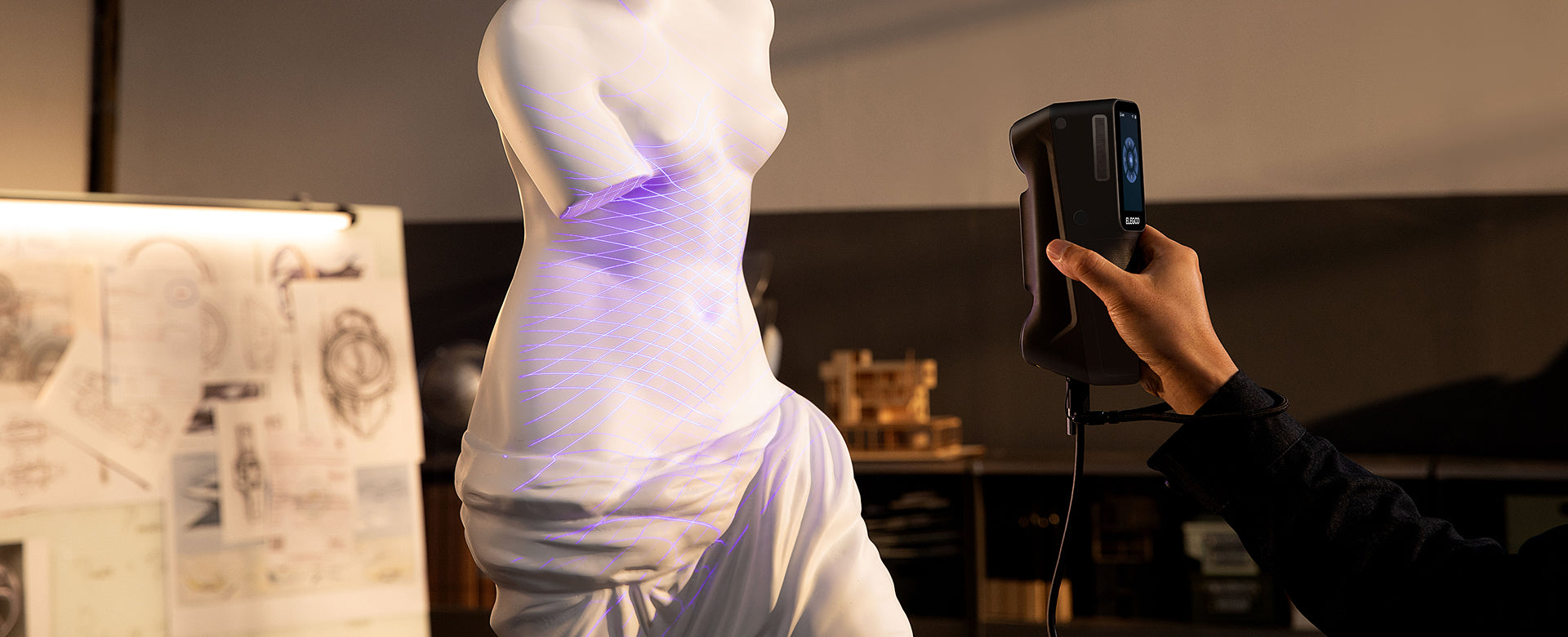
Accuracy and large-object measurement
M1 Ultra’s manufacturer-specified blue-laser accuracy is up to 0.02 mm. MIRACO Plus has manufacturer-specified single-frame accuracy up to 0.04 mm, alongside a separate single-frame precision specification of 0.02 mm.
Accuracy describes closeness to the true measurement; precision describes consistency across repeated measurements. Comparing one scanner's accuracy with another scanner's precision would obscure the difference.
Calibration, surface preparation, tracking, and the alignment of multiple views all affect the final model. Resolution describes captured detail; it is separate from both accuracy and repeatability. Judge dimensional fit from suitable reference measurements across the finished scan.
The practical question is what you need to preserve. For a decorative replica, recognizable shape and clean surface detail may be sufficient. For a bracket that must line up with existing bolt holes, hole spacing and mating surfaces matter more than how smooth the preview looks.
Measure those critical features independently before manufacturing a replacement. A dense mesh is useful reference data, but it does not automatically become a dimensionally correct CAD model.
A small part may need careful capture of a few critical details. On a large assembly, you also need those details to remain in the right positions relative to one another.
MIRACO Plus addresses this with its Photogrammetric Metrology Kit. Scale bars and coded targets establish a measured reference around the object before detailed point-cloud capture. The process involves placing the targets, taking photographs from multiple viewpoints, and then scanning against that reference.
That makes the MIRACO Plus package worth considering for large vehicle components, machinery, and other jobs where overall dimensions matter. Allow time for placing and photographing the targets; this is a deliberate measurement workflow.
M1 Ultra’s published blue-laser volumetric accuracy is 0.02 mm + 0.06 mm per meter. MIRACO Plus’s published photogrammetric length accuracy is 0.02 mm + 0.05 mm per meter. The latter applies to its photogrammetric workflow.
Because these are different measurement specifications and workflows, the formulas alone do not establish which system produces the better complete model.
Capture speed and the route to a printable model
M1 Ultra has the higher stated capture-rate ceiling. In blue-laser modes, it reaches up to 100 fps over a wired connection or 60 fps wirelessly at 1,520 × 1,200. At 1,920 × 1200, those limits are 80 fps and 50 fps. Its infrared mode reaches up to 30 fps.
Those distinctions matter when planning your setup. The maximum blue-laser figure belongs to a particular wired configuration; you should not expect it in every mode.
Higher capture rates can be useful when covering a part, but they do not translate directly into the same reduction in total project time. Preparing the surface, recovering missed areas, aligning scans, and cleaning the mesh can take longer than the initial pass.
Handling also involves a tradeoff. M1 Ultra weighs 511 g with its battery, so there is less weight in your hand. Its touchscreen keeps scan controls close to the object, while the computer provides a larger workspace for reviewing the result.
MIRACO Plus places a larger adjustable display on the scanner and offers a longer stated runtime per charge. Its 6-inch flip screen and two-hour battery specification support work away from a desk.
Choose based on the equipment you carry through the entire job. A lighter scanner helps during long passes; leaving the laptop behind helps when traveling between locations.
M1 Ultra's software includes point-cloud processing, multi-scan alignment, mesh repair, hole filling, and smoothing. It exports STL, OBJ, PLY, and ASC, allowing you to move scan data into other modeling and printing tools.
MIRACO Plus offers onboard editing and merging, with additional processing available on a computer. Its supported formats include STL, OBJ, PLY, ASC, 3MF, GLTF, and FBX. The appropriate export depends on whether you need geometry, point-cloud data, or a textured model.
For an ELEGOO resin-printing workflow, either scanner can supply an STL mesh. The useful work happens between capture and slicing:
- Remove the table, supports, and other unwanted scan data.
- Align views so the model includes the surfaces you need.
- Repair missing areas while preserving real openings and recesses.
- Check scale and important dimensions.
- Prepare orientation, supports, and other print settings in your slicer.
Be especially careful with automatic hole filling. A missing patch in the scan and a real opening in the object can look similar to a repair tool. Closing a mounting hole makes the mesh easier to print but changes the part.
Color matters differently depending on the output. It can be valuable for a digital display model. For a single-material resin print that you will paint, captured geometry is usually the more useful purchasing criterion.
Our guide to how 3D scanners work explains the difference between a point cloud, a mesh, and an editable design.

Which projects suit each scanner?
A workshop rebuilding fitted components
M1 Ultra is the more targeted choice when a maker already uses CAD at the bench and routinely encounters dark components, small edges, and accessible pockets. Its laser modes address those recurring capture problems, while the computer is already available for redesign.
A visit where the object must stay put
MIRACO Plus suits a restorer recording a fixed ornament or a technician documenting equipment elsewhere. On-device processing lets you inspect the model while another pass is still possible. Include the PMK setup when large-object dimensional reference is part of the job.
Compare the complete setup cost
ELEGOO M1 Ultra · €1,599 / MIRACO Plus · €2,469. Compare the complete working setups, including the hardware and software you need beside each scanner.
For M1 Ultra, check the computer first. ELEGOO recommends 32 GB RAM, with a 13th-generation Intel Core i7 or better and an RTX 4060 or better on Windows, or an Apple M4 or better on macOS 14 or later. Minimum requirements are lower, but a computer upgrade could materially change your budget.
If you already own a suitable workstation, that cost is largely behind you. You can judge M1 Ultra primarily on whether its scanning modes suit your parts.
MIRACO Plus may be easier to justify when standalone capture saves you from buying or carrying a scanning computer. Further CAD work, detailed inspection, and print preparation can still require other software and equipment.
Also consider the work each purchase removes. Avoiding repeated surface preparation can matter in a busy workshop. Avoiding a laptop setup can matter on customer visits. Those savings are more useful than paying for a feature you rarely use.
Which scanner should you choose?
M1 Ultra is the stronger fit for a computer-based workshop focused on varied parts and detailed geometry. Its three blue-laser modes, infrared option, and lighter handheld body give you several ways to approach a difficult object. It is especially worth considering if dark surfaces, metal components, or recessed features are common in your work.
MIRACO Plus is the stronger fit when standalone operation is essential. It also deserves a close look for projects that benefit from the PMK's measured reference on large objects.
For a maker already designing and preparing prints at a capable workstation, M1 Ultra's capture options are the more compelling reason to choose it. Explore the ELEGOO M1 Ultra and compare its modes with the parts you plan to scan most often.
For another standalone alternative, read M1 Ultra vs Sermoon P1; for more project types, use our 3D scanner buying guide.
Explore the ELEGOO 3D scanner range with your regular projects in mind.
The right setup should let you leave the object knowing you have the geometry your next step needs.
Frequently asked questions
Can the ELEGOO M1 Ultra scan without a computer?
M1 Ultra requires a compatible Windows PC or Mac. It supports wireless scanning, and its onboard processor shares processing tasks with the computer.
Does MIRACO Plus use blue lasers?
No. MIRACO Plus uses infrared structured light. M1 Ultra combines infrared structured light with three blue-laser modes.
Which scanner is better for small parts?
M1 Ultra is the stronger candidate for small mechanical parts because of its detailed blue-laser mode and stated minimum scan volume of 5 × 5 × 5 mm. Object size alone does not guarantee a usable scan; material, shape, and access to each surface also matter.
Can either scanner create editable CAD files automatically?
The supported mesh exports are not equivalent to a parametric CAD model. For a redesigned mechanical part, expect to use the scan as a reference, reconstruct the required features in CAD, and verify critical dimensions.


